Executive Delegation Platform

A simply designed modern pager to connect, empower, and incentivize employees to delegate and work alongside their assistants.

Duration

6 months

Company

Launchcode

Project Snapshot

Many employees spend a significant portion of their day on administrative tasks that fall outside their area of expertise and impact. While executive assistants traditionally help senior leaders reclaim valuable time, access to that support is limited across most organizations.

The client wanted to explore whether technology could democratize the benefits of an executive assistant by creating a platform that made delegation accessible, efficient, and scalable for all employees.

My Role

I led the product design process through Phase 1 of the project, including:

  • Product strategy

  • User research

  • Information architecture

  • User journeys and personas

  • Wireframing

  • Interactive prototyping

  • Design validation

  • Developer handoff and implementation support

I collaborated closely with a Product Owner and two engineers to define requirements, validate workflows, and ensure technical feasibility throughout the design process.

Impact

  • Defined the product vision and core user experience for Phase 1

  • Conducted user research that directly informed feature prioritization

  • Designed separate experiences for employees and assistants

  • Created scalable workflows supporting delegation, communication, and feedback

  • Established a foundation for future product development and testing

Research

To get a better idea of what we needed to build, we started by conducting 7 SME interviews with 6 users and 1 assistant. These first few employees will be the first to test and use the application so we wanted to understand what would create a seamless experience. Here are a few of the questions we asked:

  1. What does your day-to-day look like at the office?

  2. Can you tell us about yourself and your current role?

  3. How comfortable are you rating the assistant after they accomplish a task?

  4. What are some examples of tasks that you delegate to an assistant?

  5. Do you on average work on multiple tasks at a time? Or only one task at a time?

  6. How do you organize your day and the tasks that are delegated to you?

  7. How do you prioritize your current tasks?

Our findings indicated that most of the users want to be able to give feedback to the assistant after each given task, they want to be able to jump the queue depending on their level of hierarchy and they want to be able to favourite tasks they use most often. For the assistant, we found that it would be more helpful for them to have the ability to create a task, create a group announcement, and view a time-given graph of their weekly work.

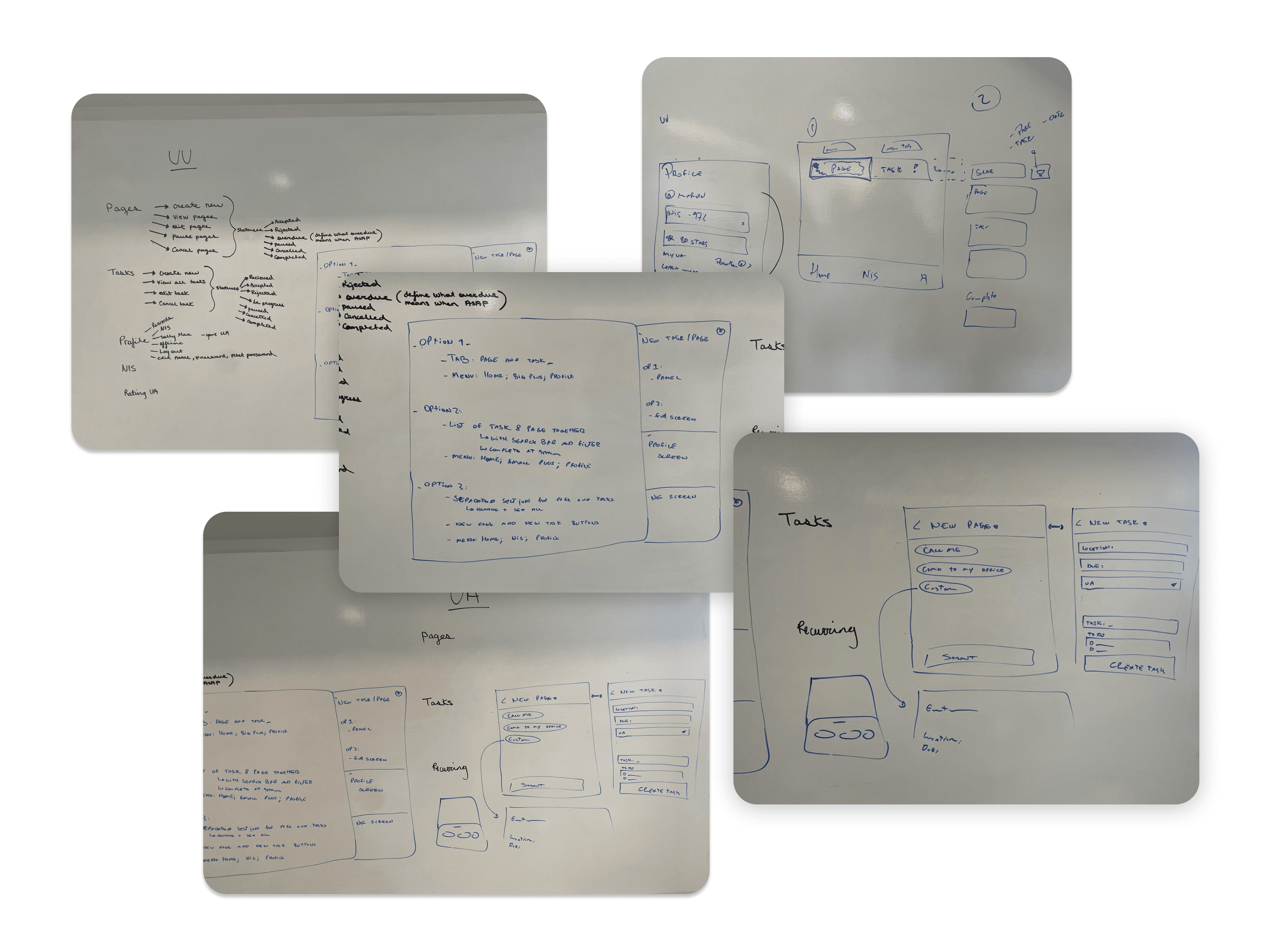
After the interviews were complete we got to work on many whiteboard sessions to map out the flow of the application. It was important that we put ourselves in the users shoes to really understand what they were looking for.

Persona & User Journey

Assistant

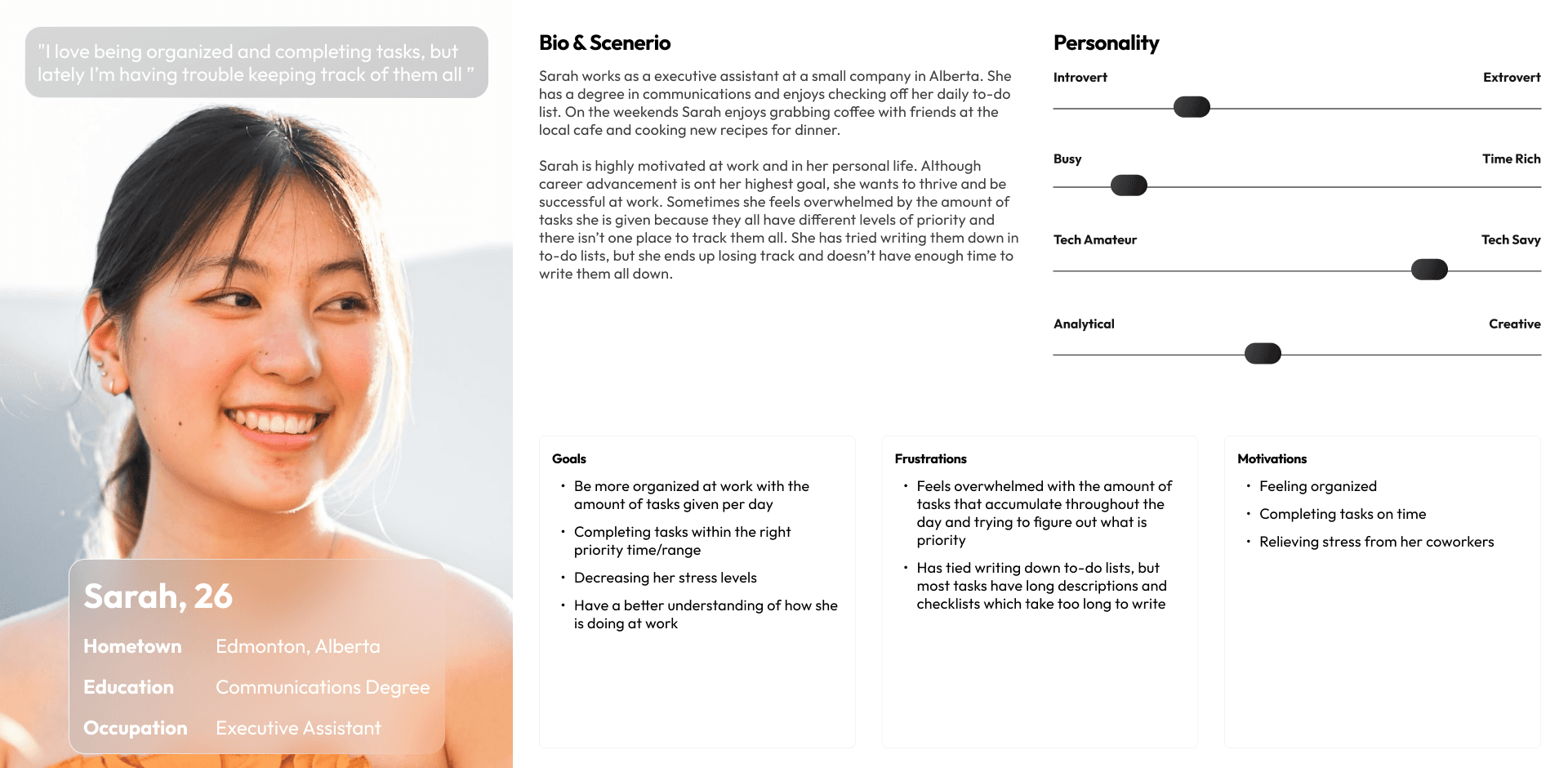
Sarah is a 26-year-old executive assistant who wants to be more organized and process driven at work.

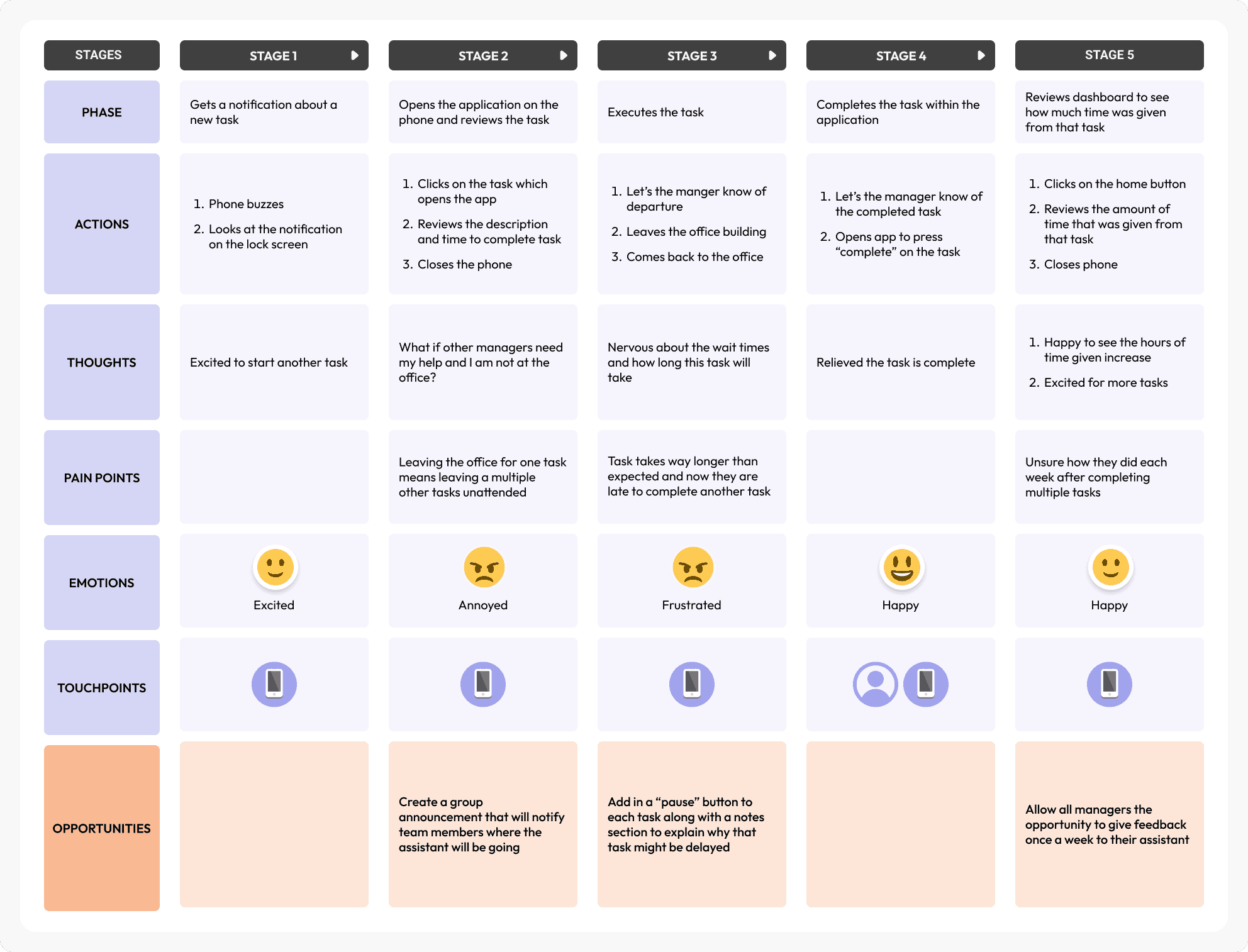
With a user journey, we can see a major pain point for her is having to step out of the office for one task while leaving other tasks unfinished.

Manager

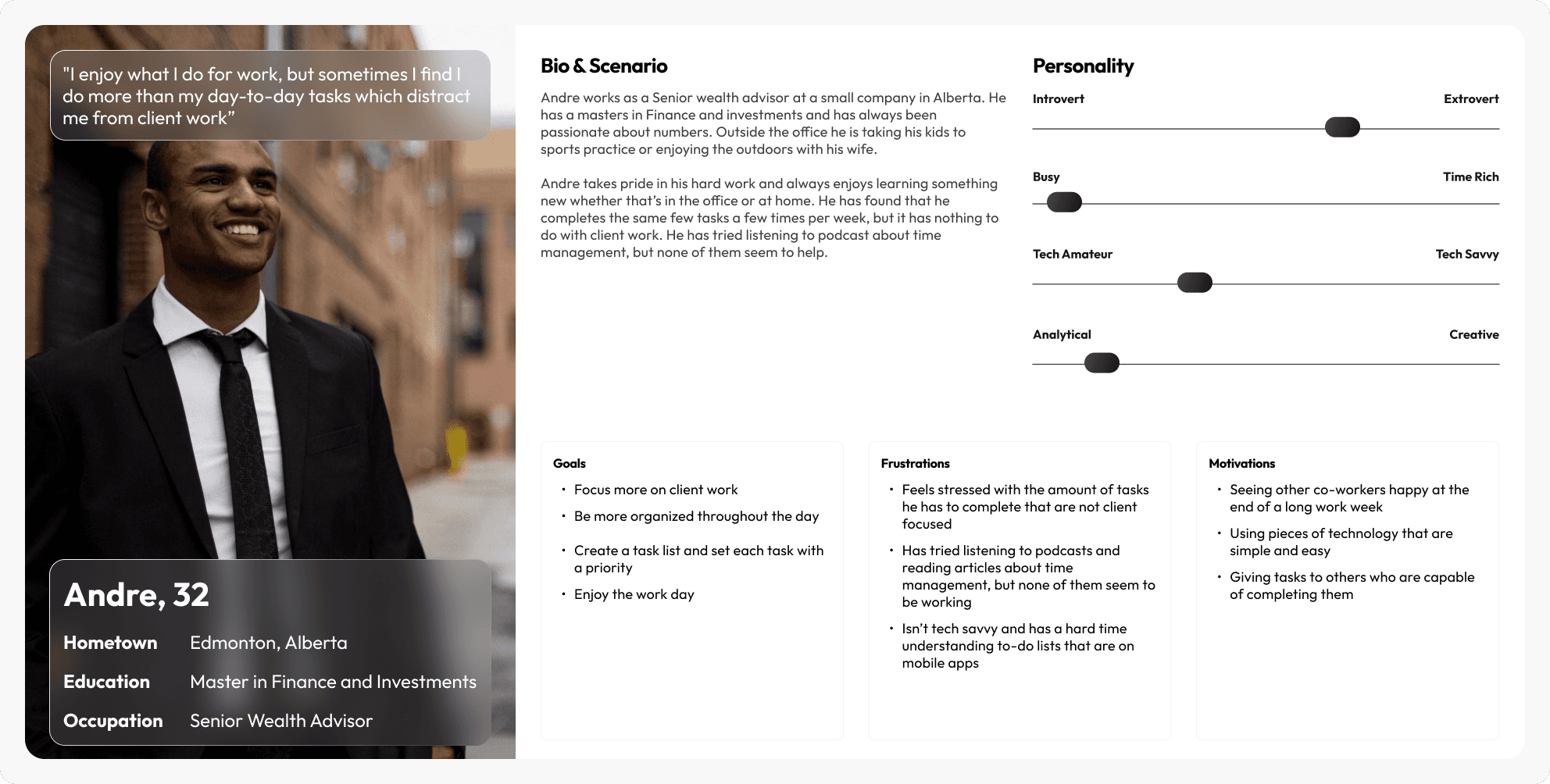
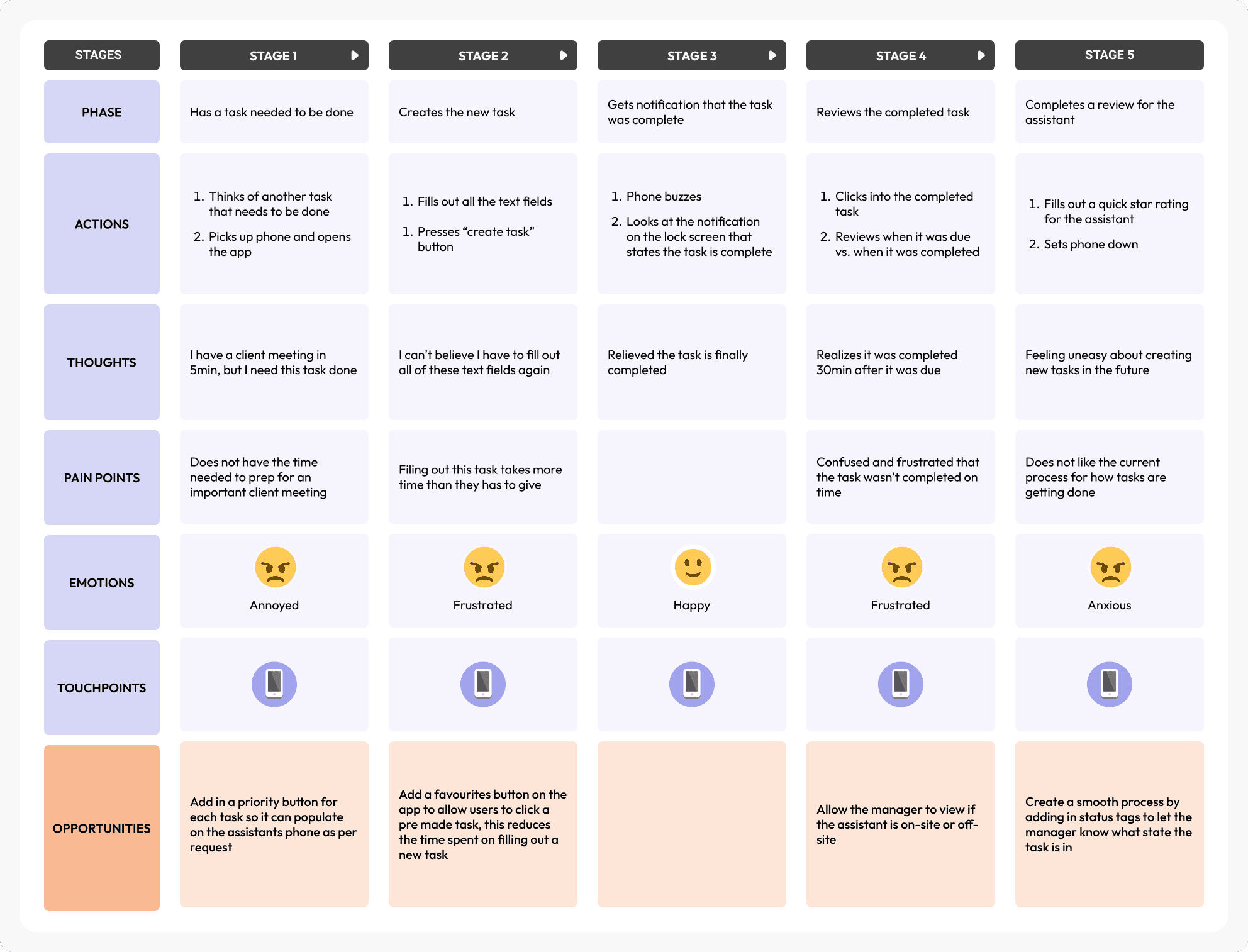
Andre is a 32-year-old Senior Wealth Advisor who wants to put 100% of his time into his clients, not unrelated tasks.

With a user journey, we can see a major pain point for him is having to type out a weekly recurring task as a new task each time.

User Stories

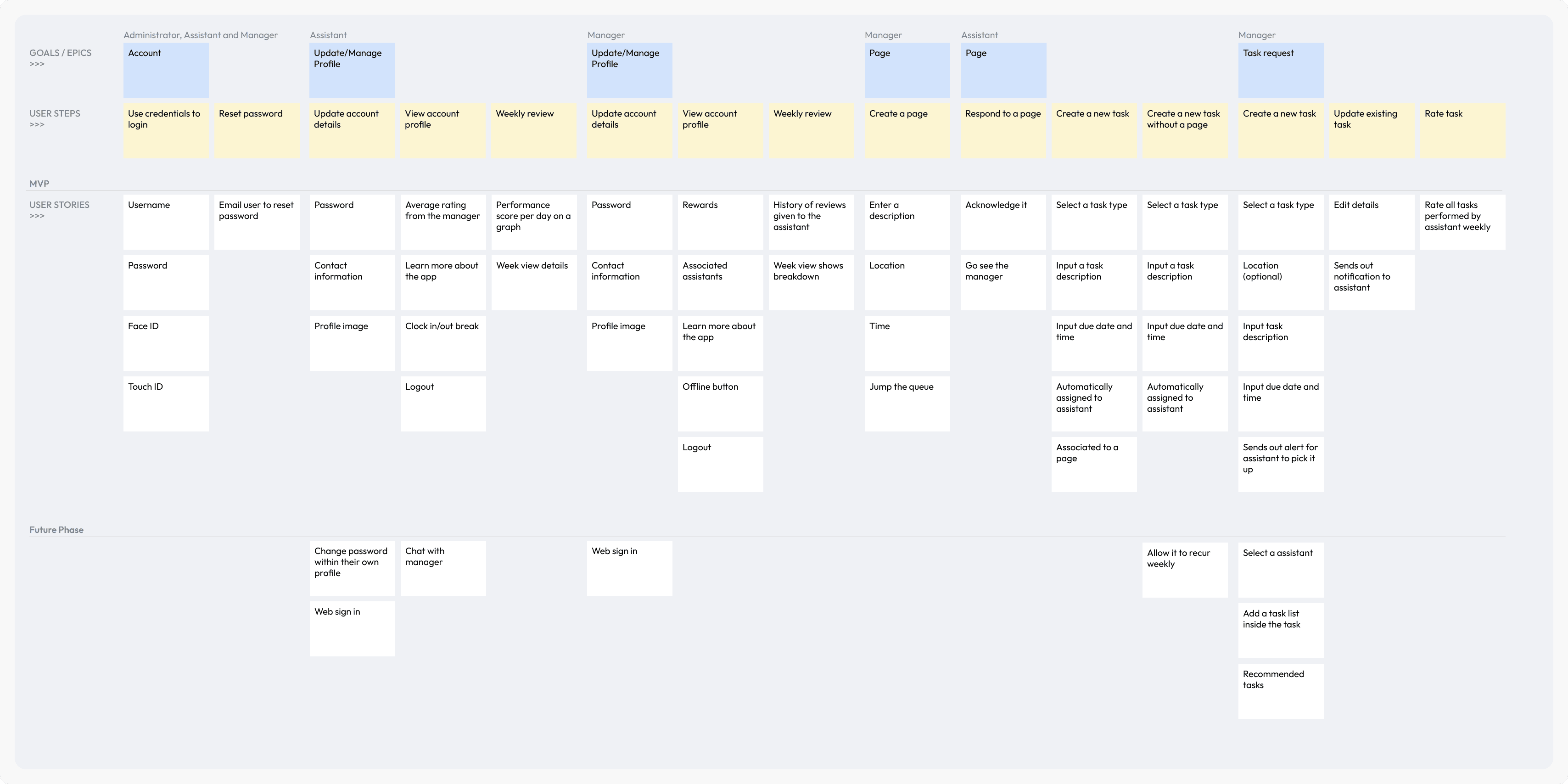
To increase transparency among the team members we wanted to visually represent each feature within the application using a diagram flow. Throughout phase 1 we ran into some technical issues with features and had to adjust accordingly. The current platform has a handful of slightly different features than our user stories below.

Wireframes

I used my research and user journeys to guide me during the wireframing portion of the design process. The main takeaway from my wireframes was to consider how to incorporate task creation for both the manager and the assistant since they both have different features. This insight was crucial in ensuring that the final design effectively catered to the unique needs and responsibilities of each user group.

Key Learnings

A simply designed modern pager to connect, empower, and incentivise employees to delegate and work alongside assistants who thrive in service roles, so the employees can concentrate and spend their day on high impact, specialized areas in which they thrive.

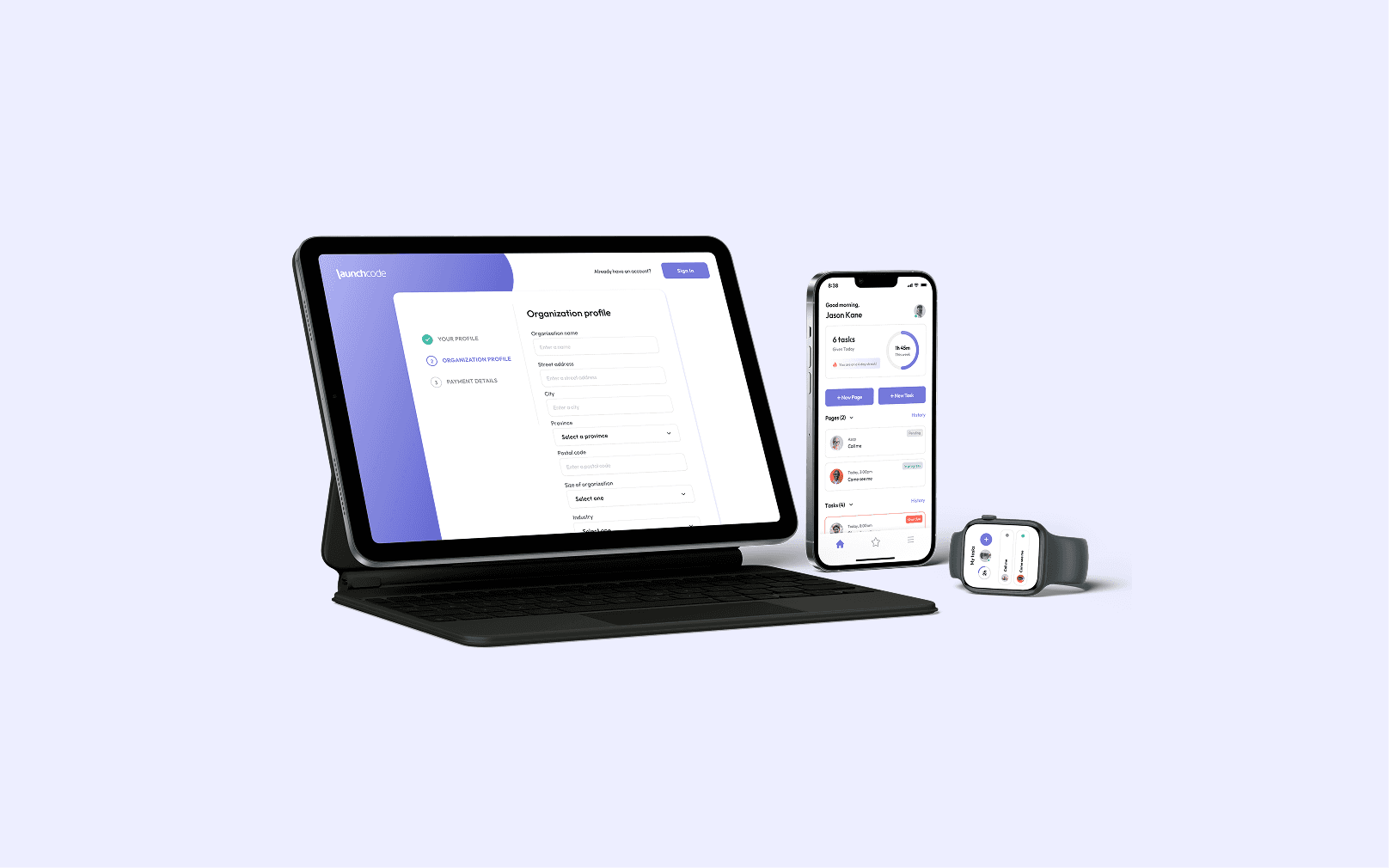
[The client] (confidential) engaged with Launchcode to build a digital platform for employees to delegate and work alongside their assistants through a mobile and web application that allows users to create pages and tasks, track their company progress, and view their weekly goals.

Employee’s Mobile App Features

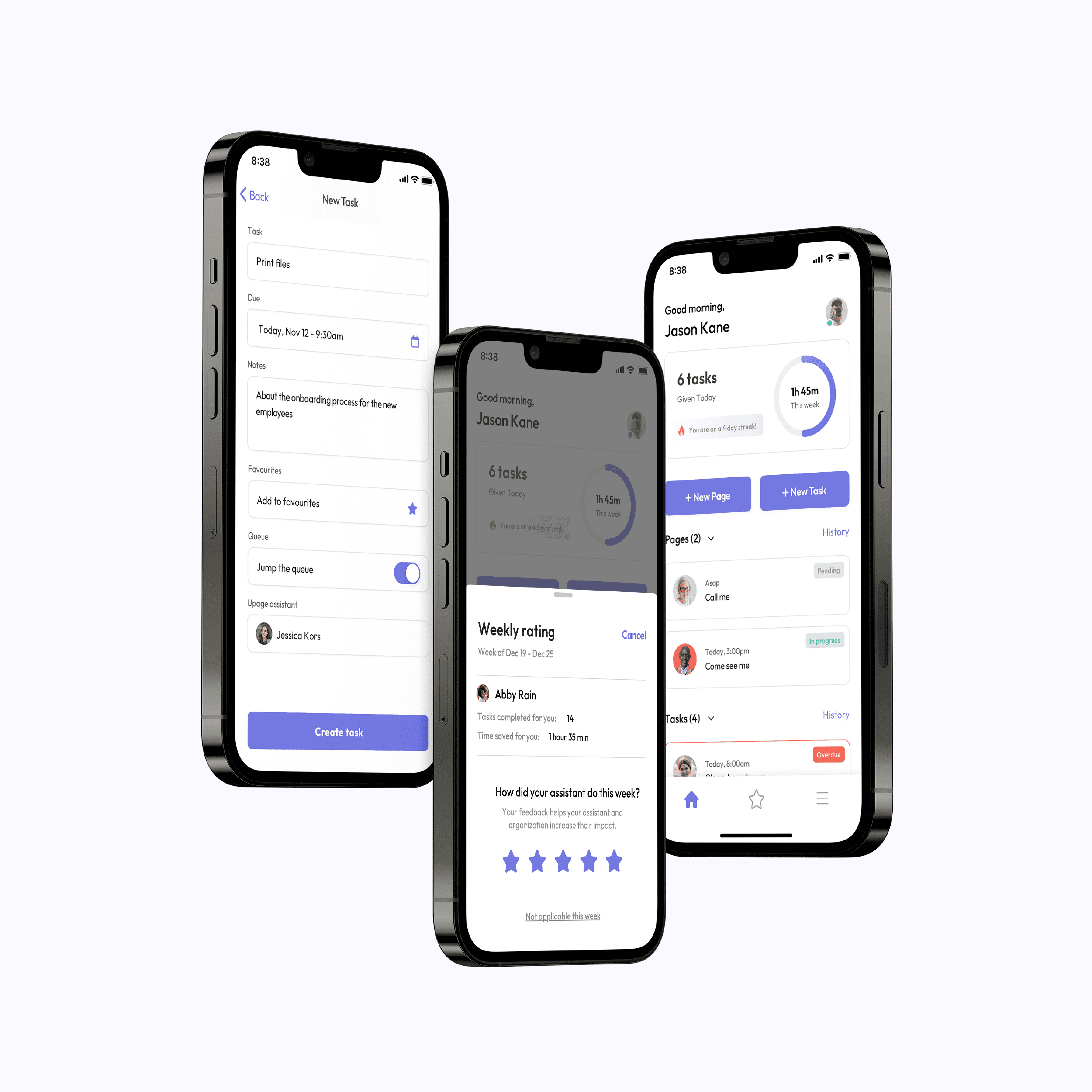
This mobile app provides users with the ability to delegate pages and tasks to their assistances, track and rate the assistants’ progress on a weekly basis, and view their weekly time saved.
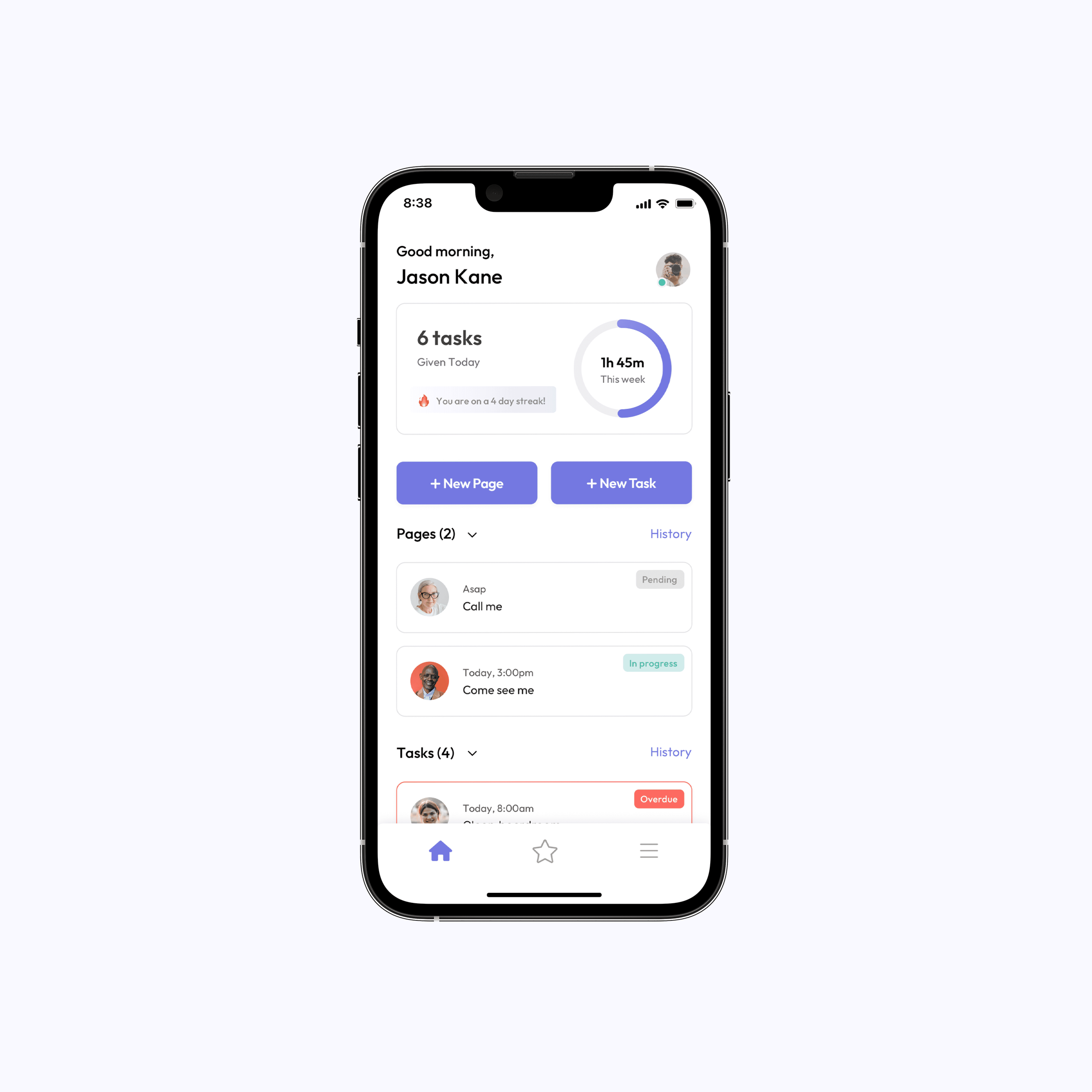
Home Screen

Home is where the user can create, track and view pages and tasks, change their status/location and view their weekly time saved. We wanted to create a simple and clean look while still providing the user with key pieces of information they need access to on a daily basis.
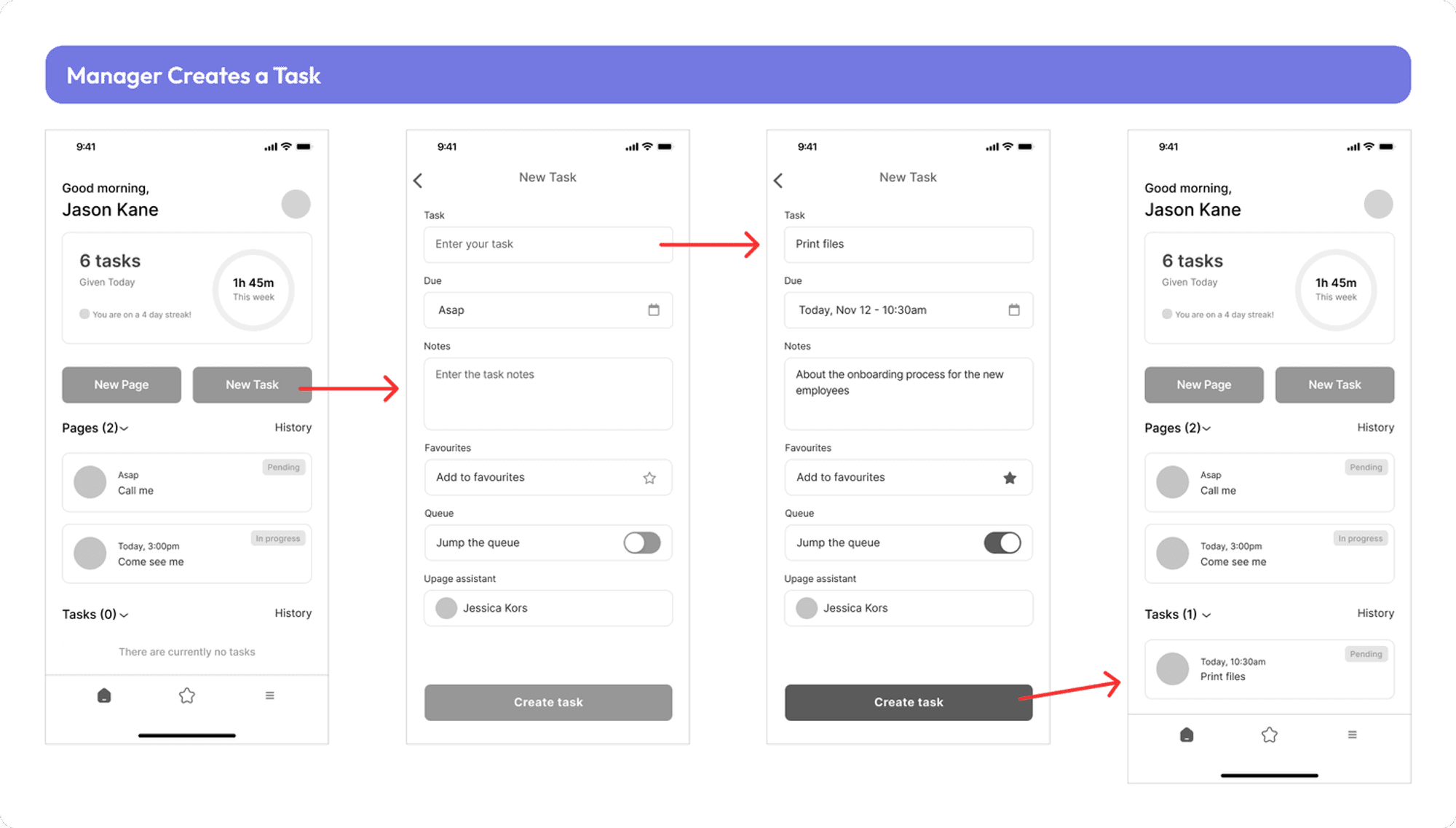
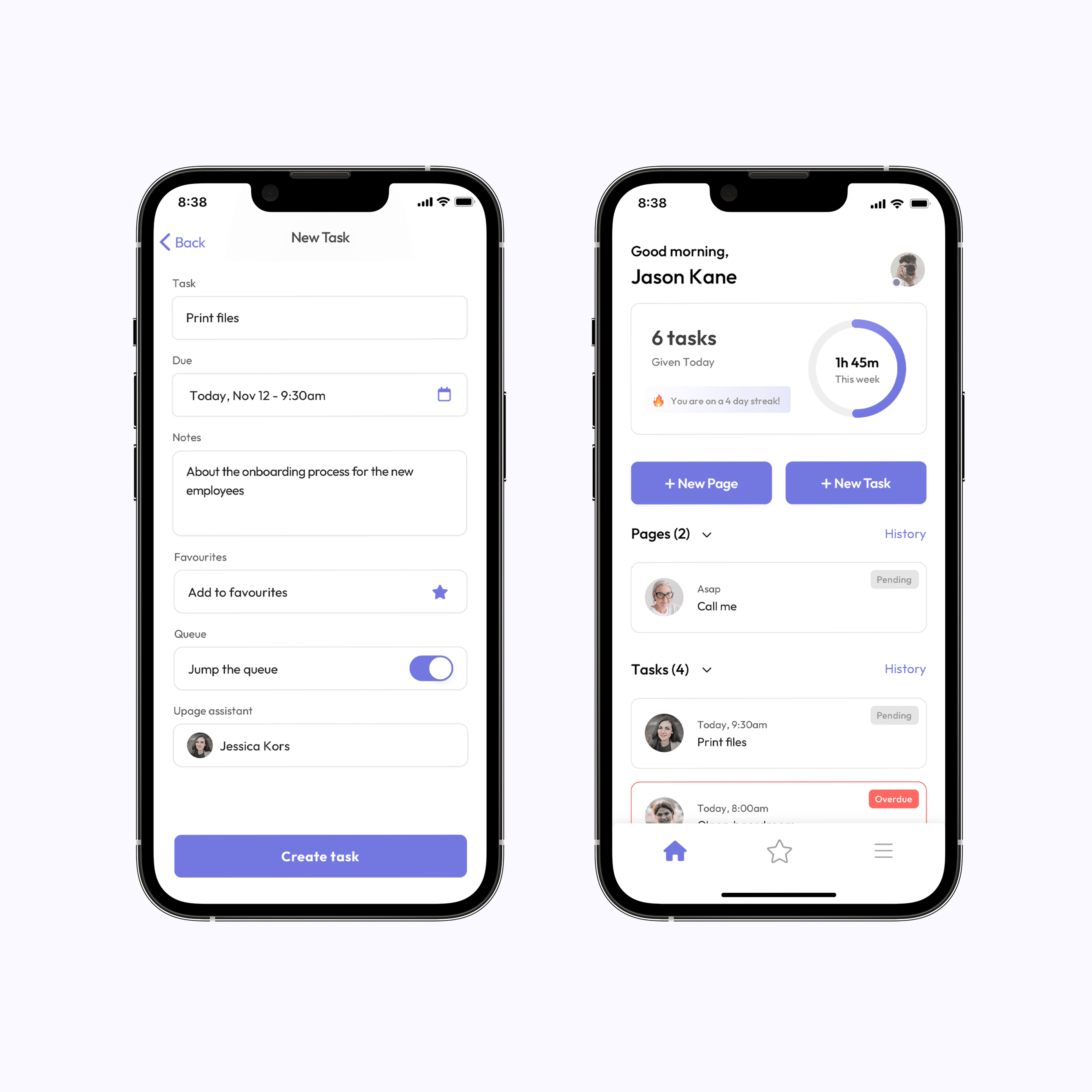
Creating a Task

Each new task that is created will include a few mandatory fields, such as a title that uses smart search functionality, a timeline with a date picker, a section to fill out notes/task description, the ability to favourite the task for future ease and a drop-down to find an assistant to complete the task.
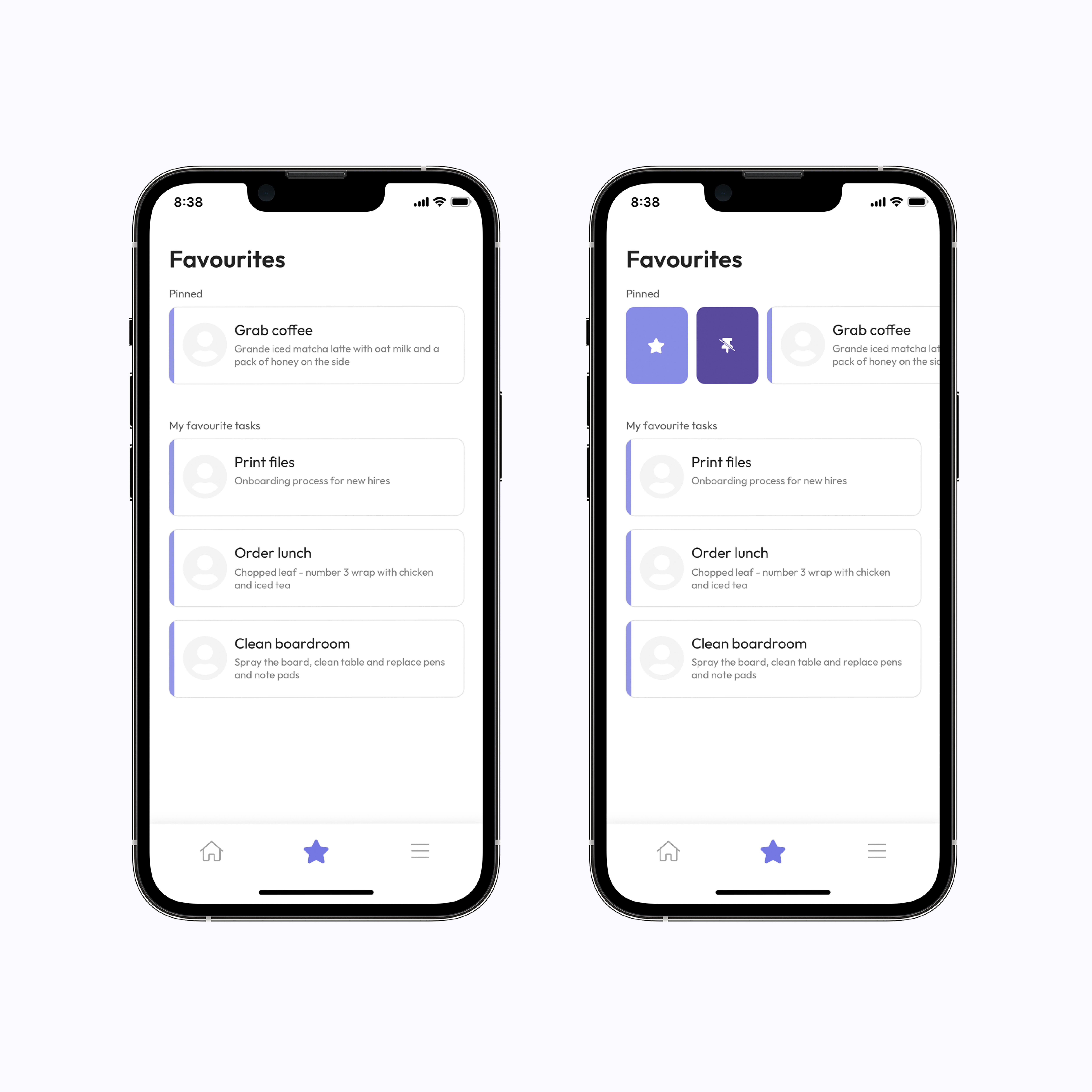
Favourites

This feature was key to build into the application because it allows the user to create a task with ease. When a current task is favourited it is added to the list, once clicked the user will be prompted to fill out only a few fields before they create the new task.
Assistance Mobile App Features

This mobile app provides assistance with the ability to create and complete pages and tasks, recurring tasks, and group announcements. The goal of the assistance app was to create a clean and balanced feel while keeping in mind the amount of information being presented.
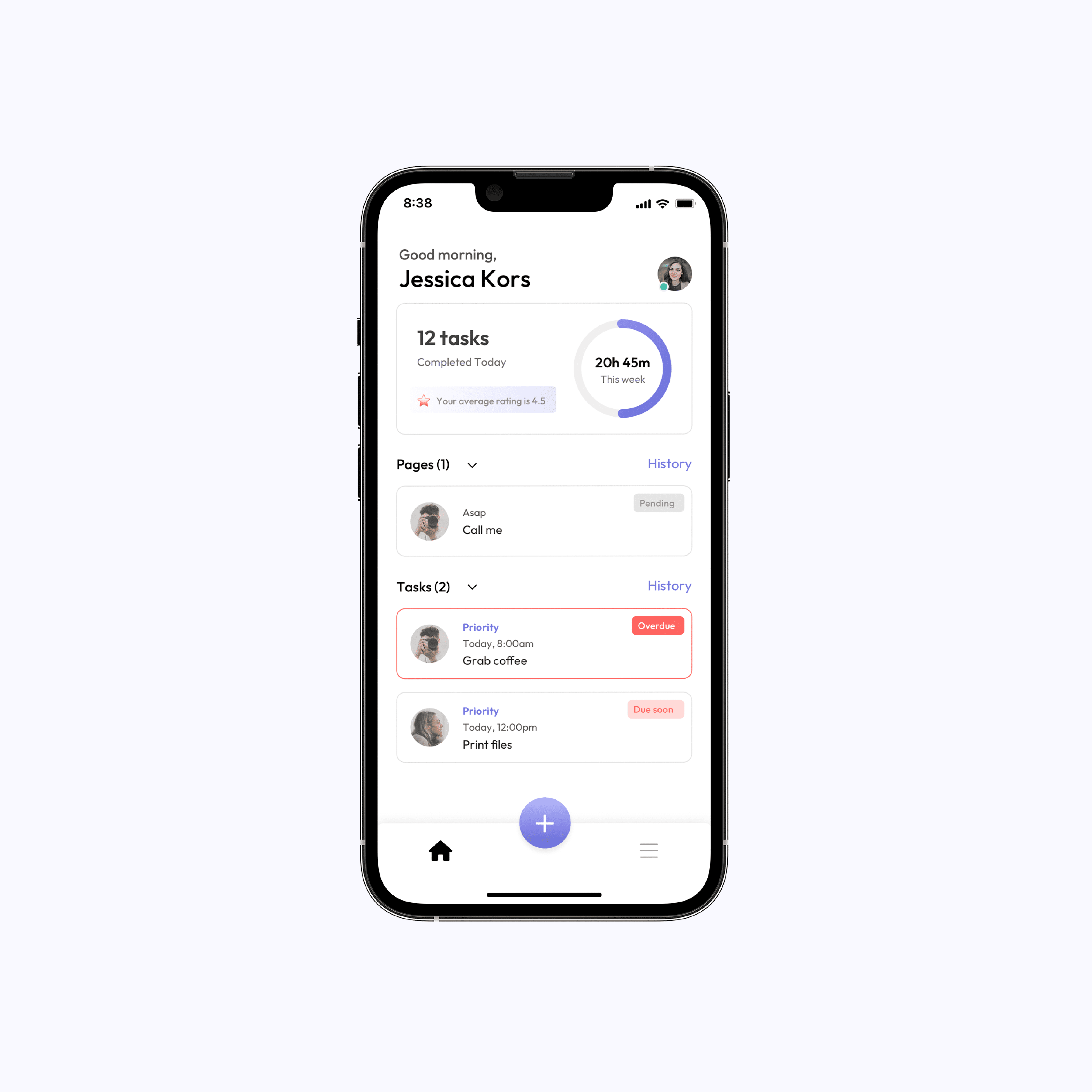
Home Screen

The home screen allows a user to create pages and tasks, view the page and task history, and view their weekly time-saved hours. The goal was to create a clean and balanced feel while keeping in mind the amount of information being presented.  

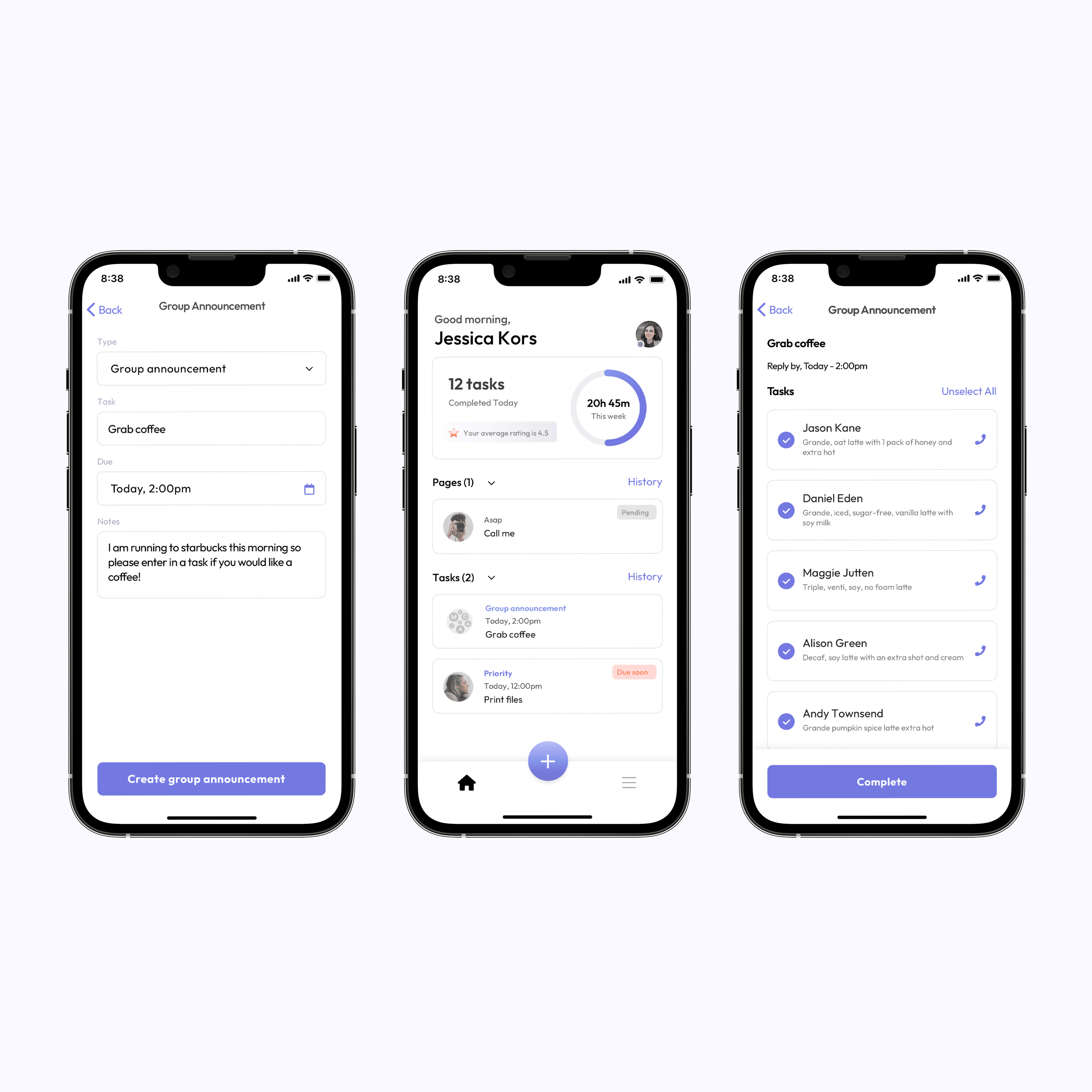
Creating a Group Announcement

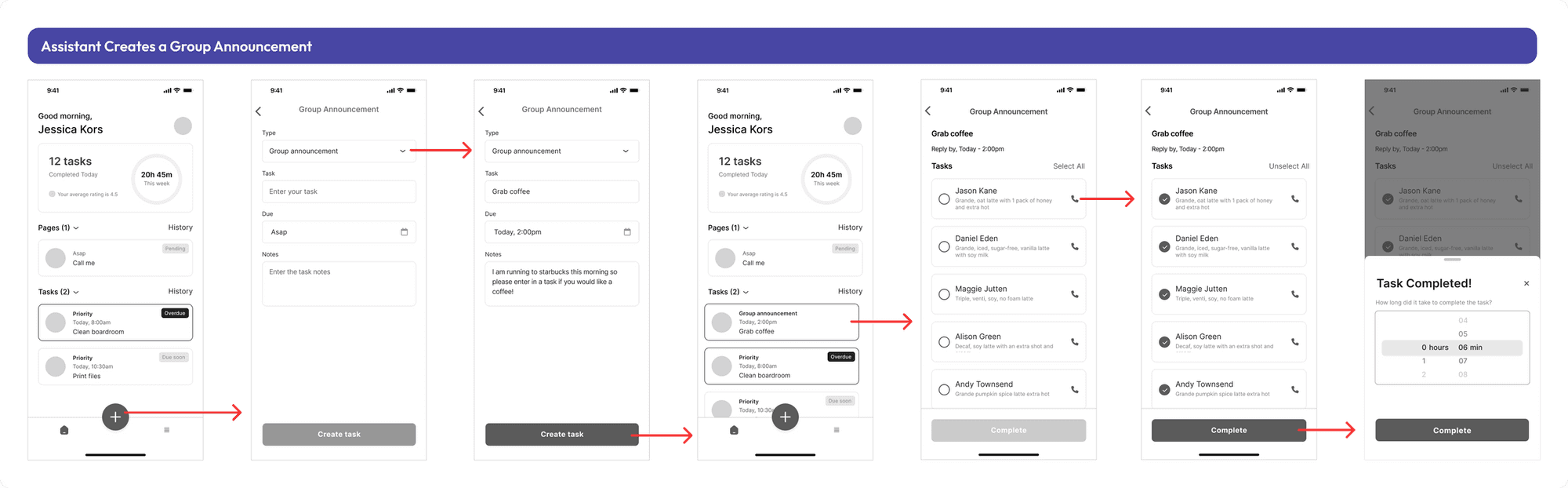
There are often times when the assistant will be tasked with grabbing something outside of the office whether that’s a lunch order or a coffee run for multiple employees. To make this experience smoother we created the group announcement feature, which allows the assistant to send out a group message to the whole team and they can reply with an order specific to a place such as Starbucks or Chopped leaf.
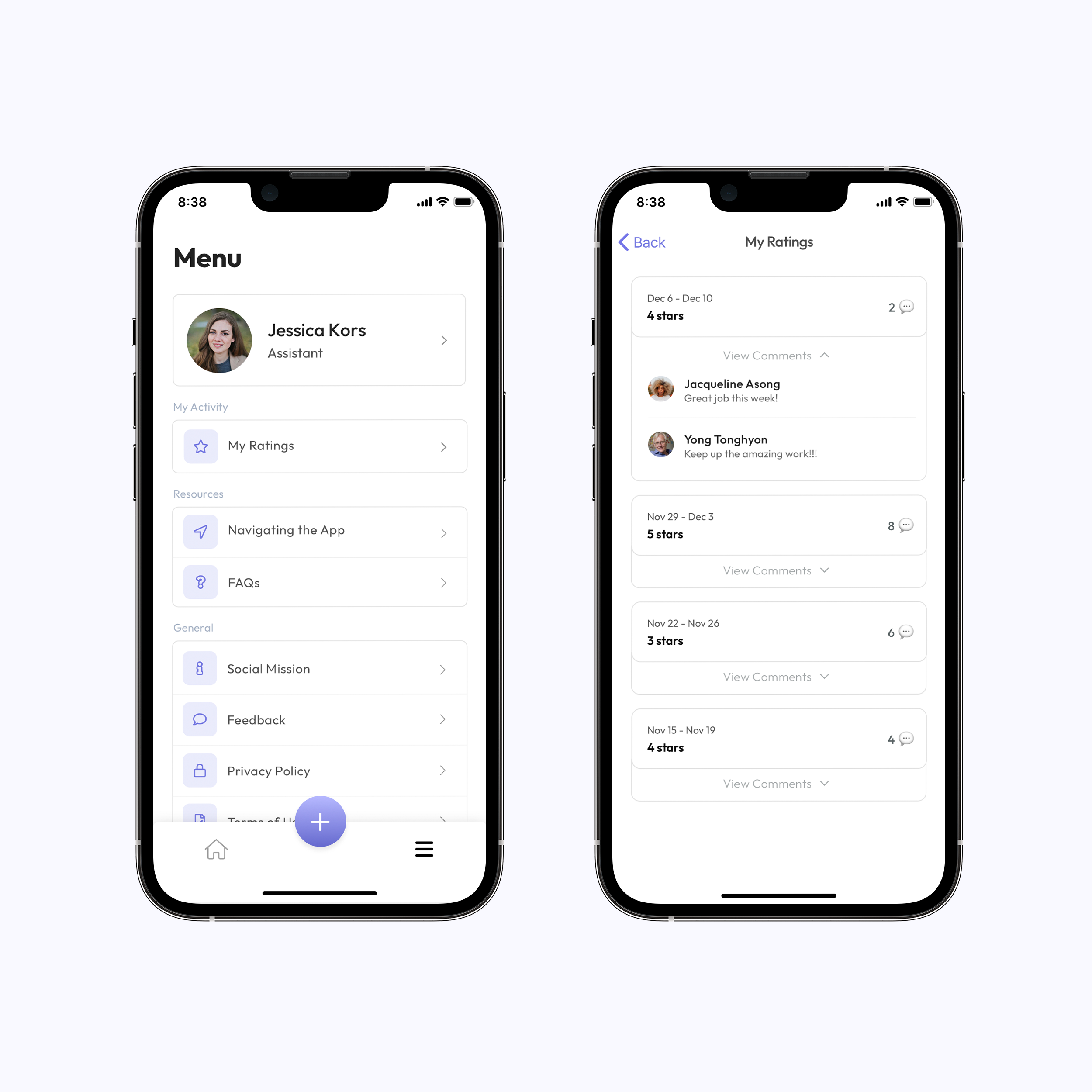
My Ratings

After each week the users will rate their assistants on how well they completed the tasks. The assistant will have the opportunity to view those ratings along with any comments left by the user. This allows the assistant to gain a better understanding of how well they are completing those pages and tasks.
Testing

We had weekly sprint meetings with the client that included weekly updates about new features and new workflows. Using sketch allows us to share the prototype link with the client on their own mobile device where they were able to test out the new workflow. This allowed us to get a very detailed understanding of how the users interacted with the flows, how they felt, and what needed to be changed or added. After phase 1 of the design was complete and development had begun I worked closely with our engineers to ensure all the design requirements were being met. In order to hand off features to the engineers we used Jira software as well as daily stand-ups.

Key Takeaways

  • Follow a process. Product requirement documents are key for feature success because it provides the product's purpose, features, functionality, and behavior.

  • Build the relationship. In order to build a great product for your client you need to build a great relationship with them first. Connection is key to great relationships.

  • Less is more. Prioritizing what pieces of information are most important will allow you to create a product that will not overwhelm your end user.

  • Test with a larger audience. If I could go back and change one aspect of the project it would be to interview a larger group of users to understand a wider range of accessibility needs. This would also allow us to test the product with a higher confidence level.